⚠️ Important Installation Reminder
To protect your mounts during installation, please ensure your drill is set to a low-torque (low-power) setting. High torque can drive the screw through the material and cause damage.
Tip: Go slow, and tighten only until snug—do not over-drive the screws. We highly recommend putting the brackets on the lights PRIOR to installing to your home. DO NOT push the light into a mount as its mounted on your home.
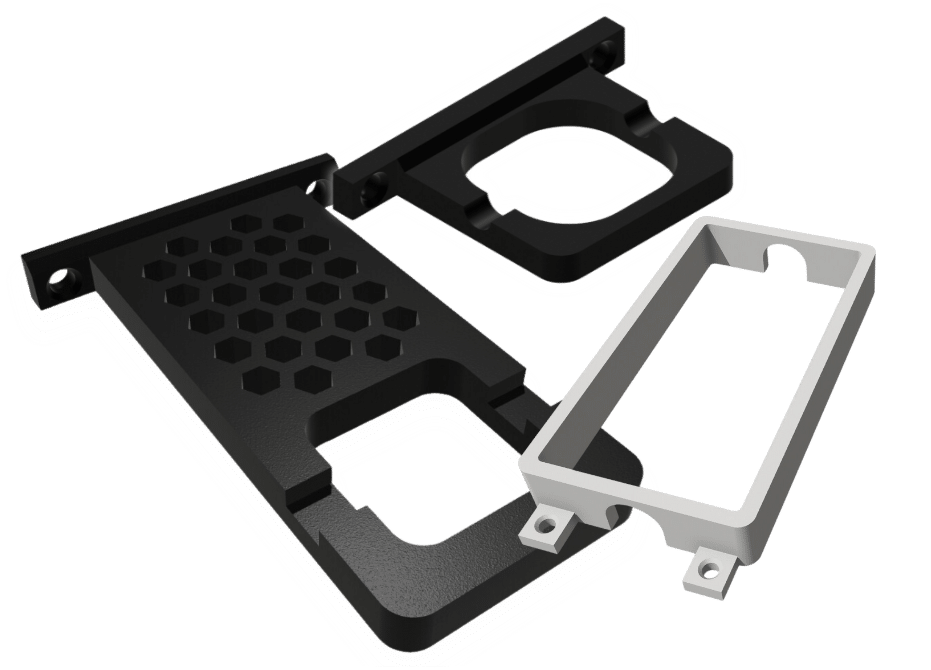

Thanks for choosing Deliciosa Decor’s 3D-printed light mounts! Our mounts are made from durable PETG plastic to withstand the elements and last for years. This guide will walk you through the installation process step by step so your lights look professional, stay secure, and shine evenly.
If you’re unsure which mount fits your lights, remember: we offer free samples on our website so you can test before buying. You’ll also find instructions below on how to identify your light model number (Eufy, Govee, Nanoleaf) so you get the right mount every time.
What You’ll Need
Our mounts do not come with screws or tools. You’ll need:
[azonpress_tables id=”1″]
-
Drill & screws → Click here for the screws we recommend
-
Pencil
-
Measuring tape
-
Level
- Power Supply Mount Kit
MOUNT ONLY – for Govee Power Supply & Control Module (No Power Supply)
Step-by-Step Installation
1. Start with the First Mount
Decide where you want your first light to begin. Place your first mount and use a level to make sure it is perfectly straight and at the correct height on your fascia (especially important for our vertical hanging mounts — 8mm or advanced 2.5″ from the wall).
👉 Leveling ensures the light cast is consistent across your entire installation.
2. Secure the Mount
Use both screw holes on our mount to attach it firmly to your home. This double-screw method keeps your mount strong and reliable for years.
3. Insert the First Light
Once your first mount is secured, insert your first light into the mount. Stretch the cable toward the location of your second mount, pulling it relatively taut (not drooping).
4. Position the Second Mount
Place the second mount where the next light will sit. Double-check with your level and measuring tape to confirm the mount is even with the first. Screw it in securely using both screw holes.
5. Continue the Process
Repeat the process along your fascia:
-
Insert the light into the mount.
-
Stretch the cable taut to the next spot.
-
Level, measure, and secure the next mount.
In most cases, this is a simple practice once you’ve set the first two mounts correctly.
Finding Your Light Model Number
Choosing the correct mount is important! Here’s how to identify your model number by brand:
-
Eufy → Model number is usually printed on the box or in the app under Device Info.
-
Govee → Check the product listing on Amazon or your order history; the model number starts with “H6.”
-
Nanoleaf → Model number is printed directly on the back of the light strip controller.
If you’re not sure, don’t worry — you can always order a free sample mount from our site to test before placing a full order.
Why Choose Deliciosa Decor Mounts?
-
Made from PETG → Strong, weather-resistant, and built to last.
-
Custom-fit → Designed specifically for leading light brands like Eufy, Govee, and Nanoleaf.
-
Easy to install → No complicated hardware; just drill, screw, and clip in your lights.
👉 Order your mounts directly from our site for the best fit and fast shipping.
Final Notes
Installing your light mounts is quick and straightforward. With a little care leveling and securing each mount, your lights will look professional and stay perfectly aligned for years.
We’d love to see your finished setup! Share your installation photos with us on social media and tag @DeliciosaDecor.
And if you found this guide helpful, please leave us a review on our Etsy shop — it helps us continue creating high-quality, innovative products for your home.